dskr.

The AI-Enabled HelpDeskfor Startups and Small Teams

Answer customer requests by email, portal or phone in one simple place. Bring your own AI and take control of your tickets and customer service.

Free plan forever · No card needed to start
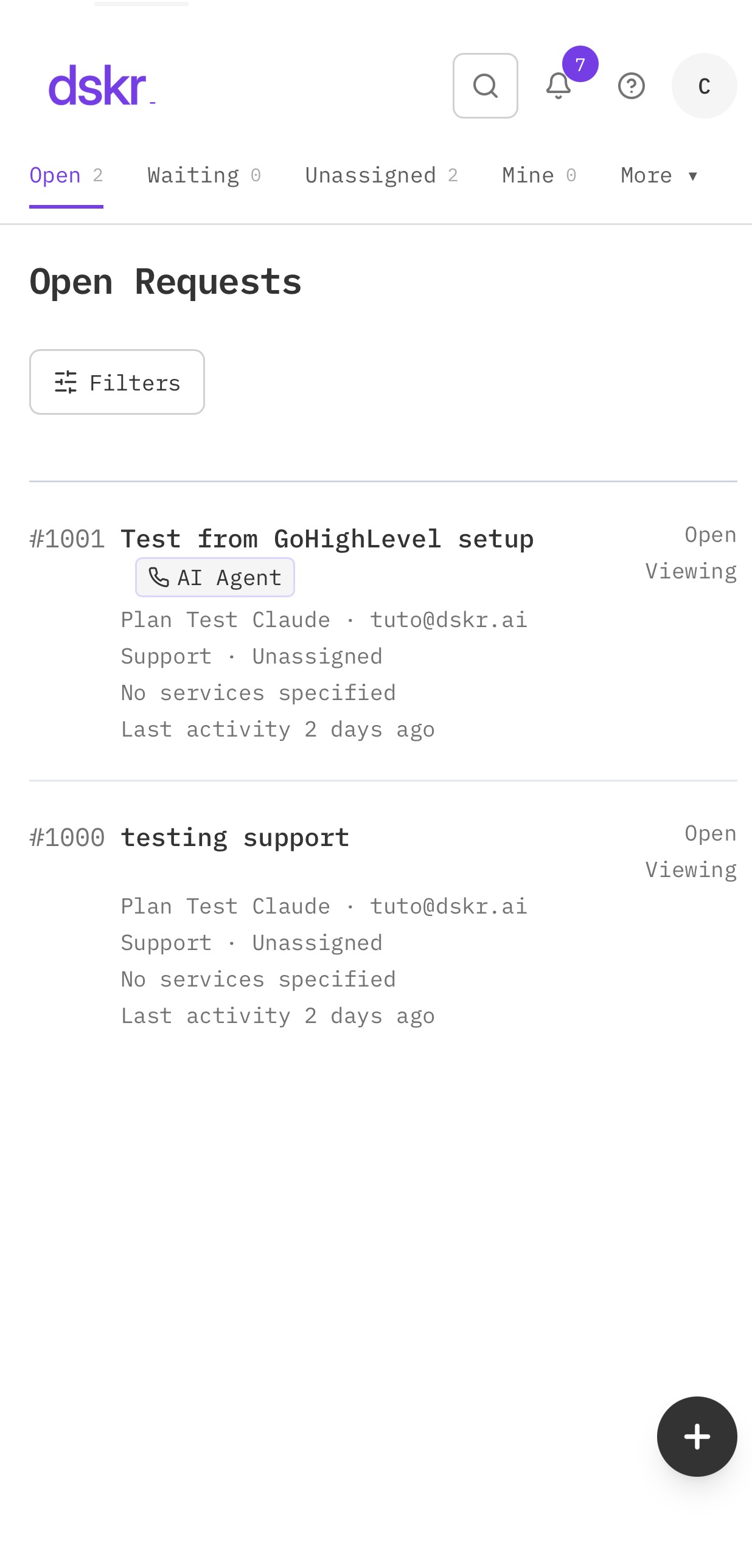
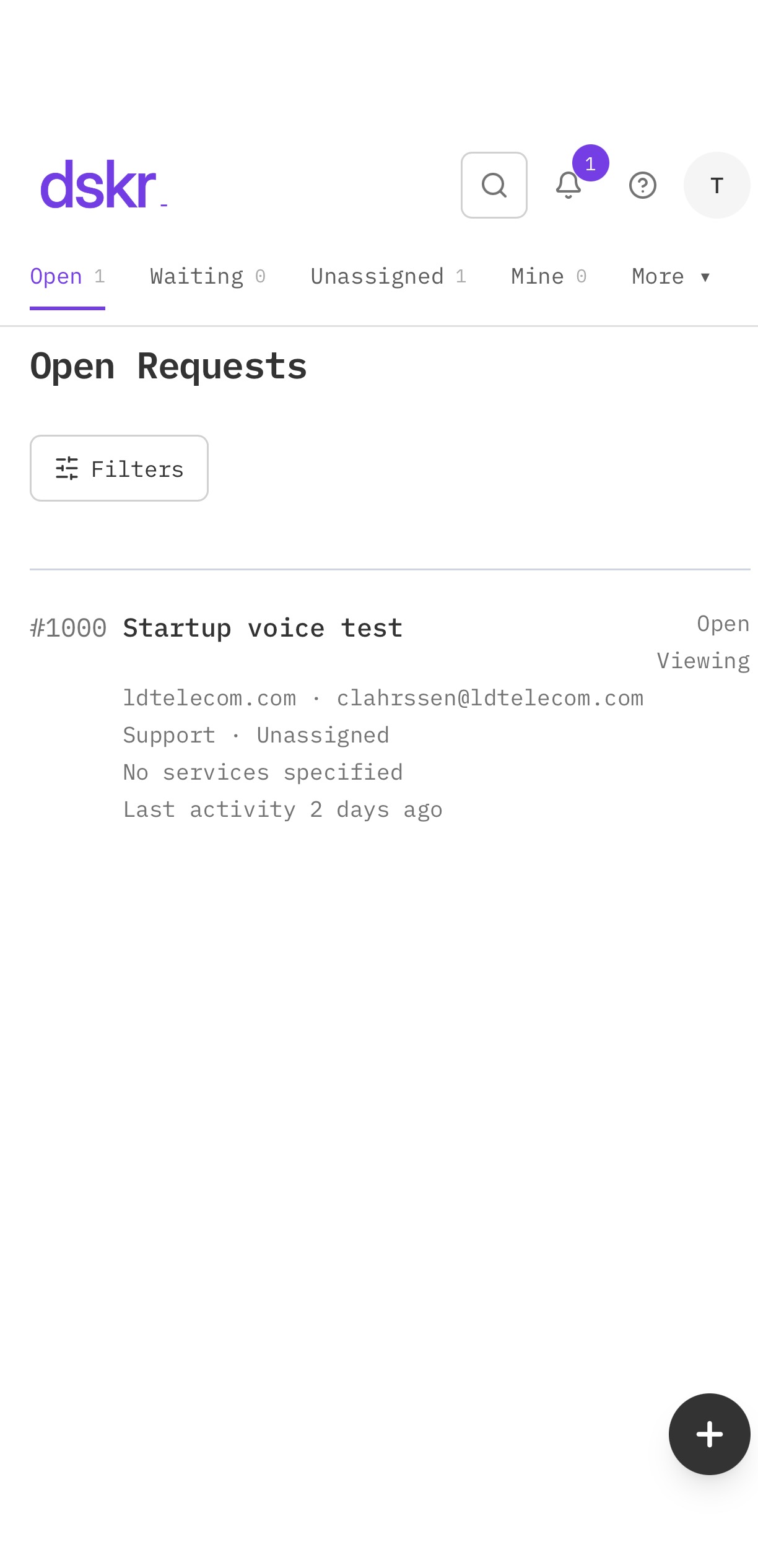
dskr.ai help desk ticket list

See how dskr works

Shared inbox

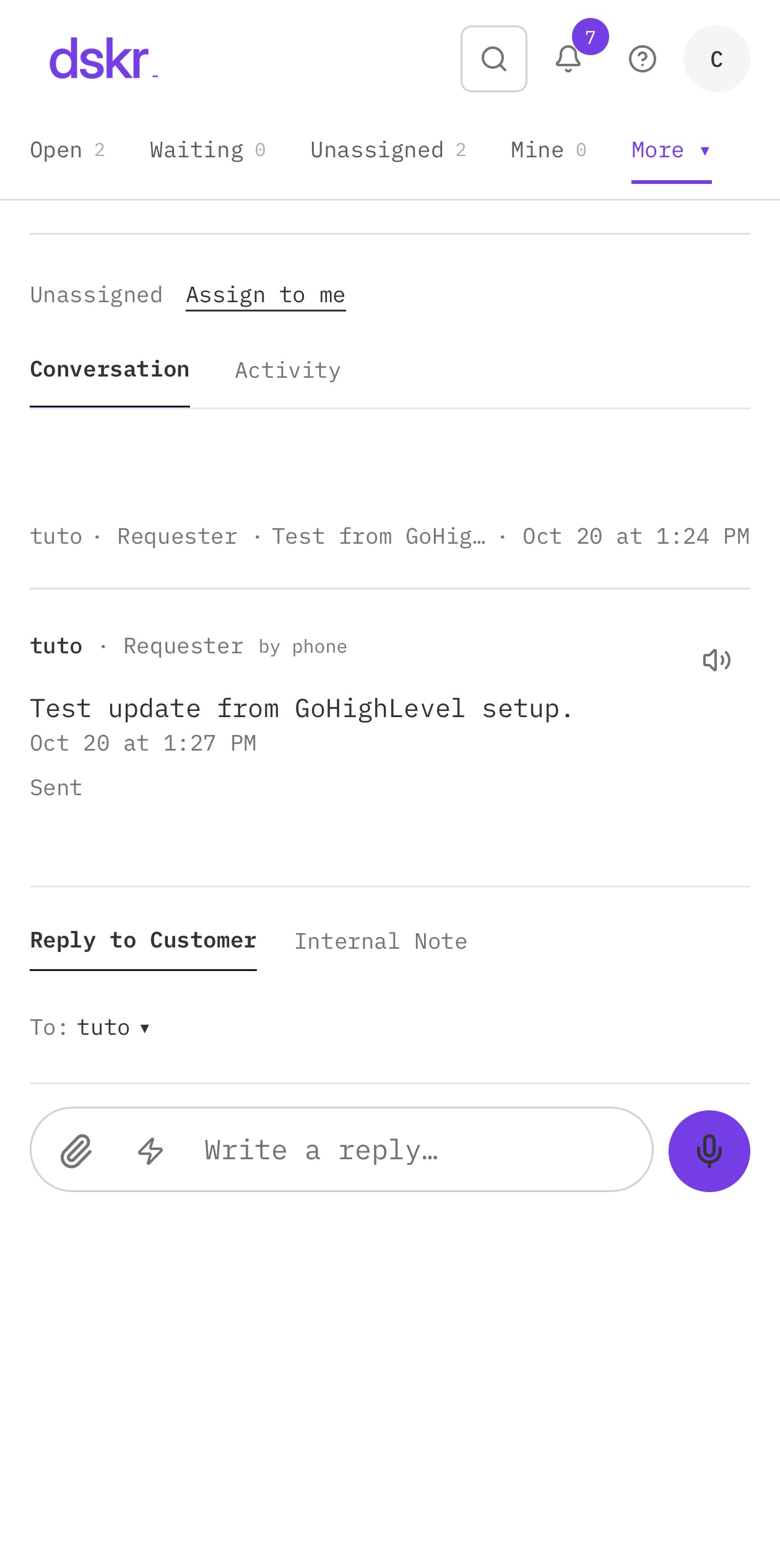
Ticket with voice note and transcript in dskr.ai

Every customer email becomes a ticket.
  1. 1Customer emails your support address
  2. 2Ticket appears
  3. 3Your team replies

Customer portal

dskr.ai customer portal

Your customers open and follow their requests.
  1. 1They sign in
  2. 2Open a request
  3. 3See every update

AI that writes with you

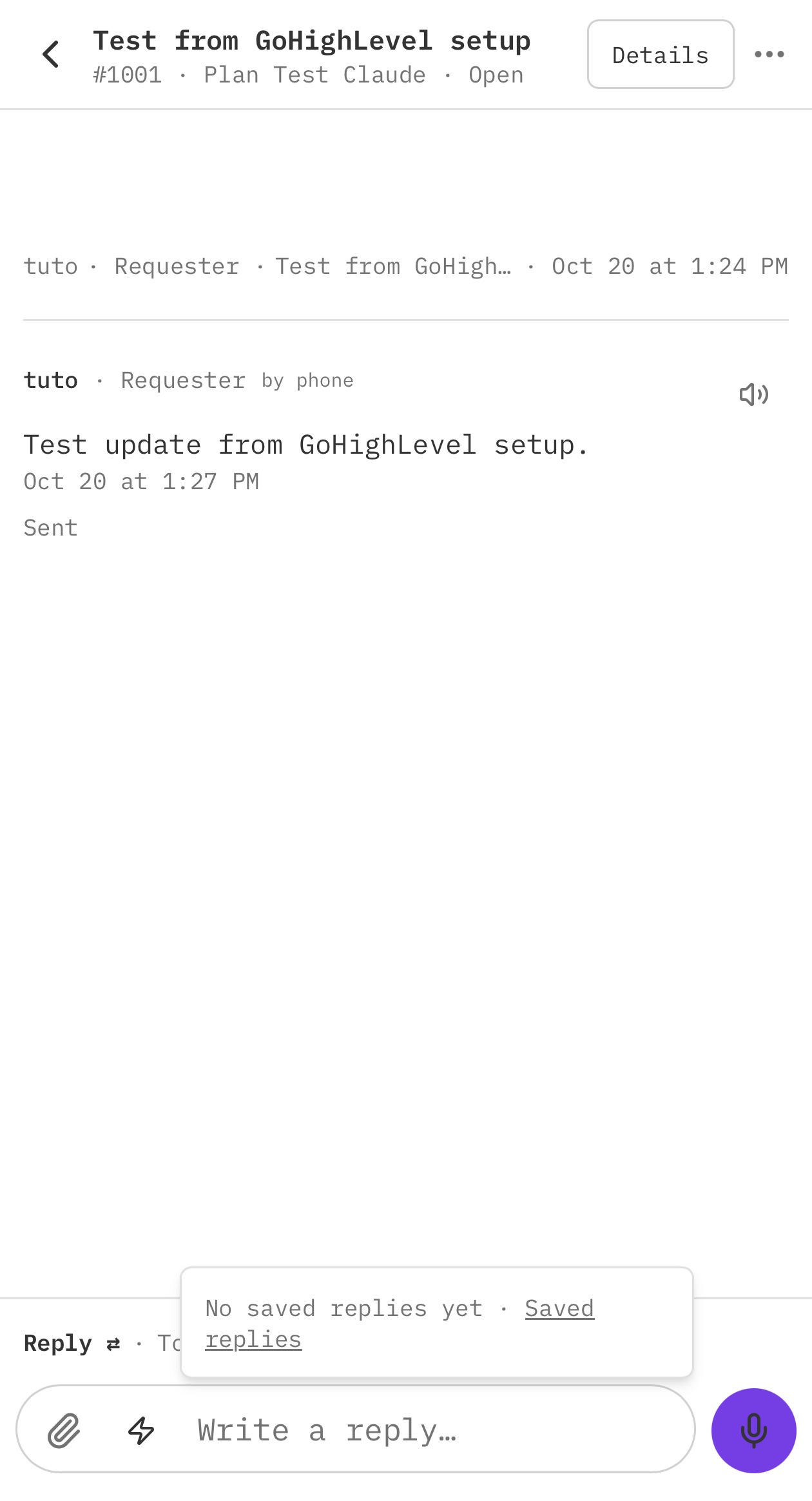
Saved replies in the dskr.ai reply box

Polish and translate replies with your own AI.

  1. 1Connect OpenAI, Anthropic or Gemini
  2. 2Click Polish
  3. 3Send in any language

Voice

Ticket with voice note and transcript in dskr.ai

Hold to talk. Let go to send. Your customers can listen, or read the transcript.
  1. 1Hold to talk
  2. 2Let go to send
  3. 3Listen or read the transcript

On your phone

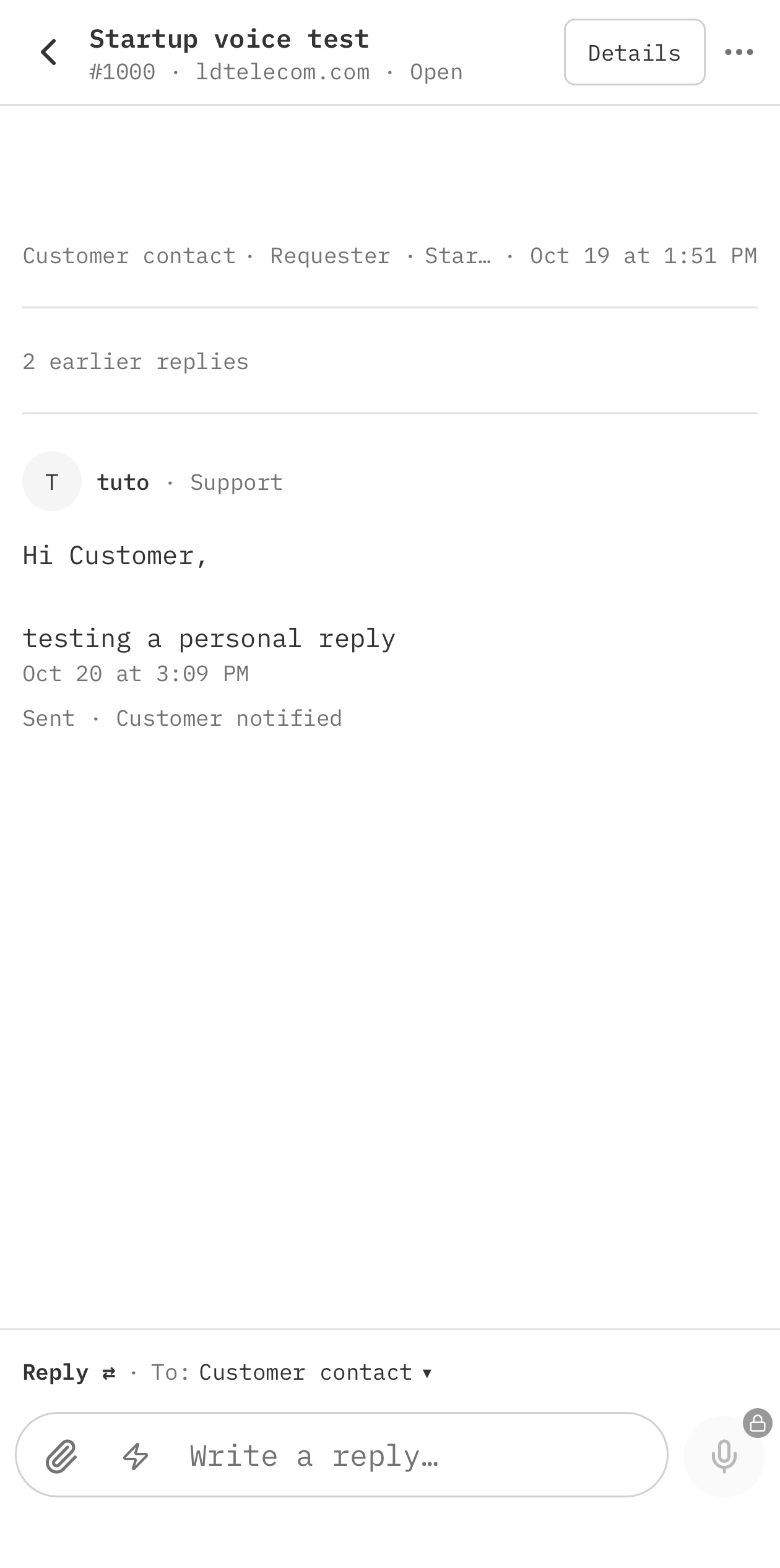
dskr.ai help desk app on iPhone

Answer tickets from anywhere with the dskr.ai app on your phone.

  1. 1Open dskr on your phone
  2. 2See your open requests
  3. 3Reply on the go

AI phone agentComing soon

Phone agent
“My order hasn't arrived yet.”
Order hasn't arrived New · by phone

Callers will open and check tickets by phone. Coming soon as an add-on.

  1. 1Customer calls
  2. 2The agent understands
  3. 3The ticket is created or updated

Help center

Help center
Search articles…
How to reset your password Article
Account security basics Article

Answers your customers can find on their own.

  1. 1Write articles
  2. 2Publish them
  3. 3Fewer repeat tickets

Teamwork

Ticket · internal note
Refund request Open
Private note: @Sam can you check this?
Sam was mentioned

Internal notes, @mentions and viewers.

  1. 1Add a private note
  2. 2@mention a teammate
  3. 3They're notified instantly

Your CRM, synced

Customers
GoHighLevelSalesforceCSV→ → →
Alex RiveraSynced
Jordan LeeSynced
Priya ShahSynced

Customers come in from GoHighLevel or Salesforce, or by CSV.

  1. 1Connect your CRM
  2. 2Customers sync daily
  3. 3Or upload a CSV

AI agents & automation

Tickets
Agent connected
Shipping address change Open
Draft reply ready for your review.

Let Claude, ChatGPT, n8n or Zapier work your tickets.

  1. 1Connect your agent
  2. 2It reads and acts on tickets
  3. 3You stay in control

Works with GoHighLevel · Salesforce · Monday.com · Slack · Google Drive

Pick your level. Start free.

Monthly plans. 7-day free trial on Growth and Scale. Cancel anytime.

You're a Level 2 team: Growth fits you

Growth and Scale: 7 days free, no card needed. Cancel anytime.

Level 1

Startup

Free

  • 2 team users
  • 100 tickets per month
  • Up to 1,000 contacts
  • The essentials, free forever
Start free
Level 3

Scale

$99/month

  • 15 team users
  • Unlimited tickets
  • Up to 50,000 contacts
  • Voice notes, transcripts & Listen
  • AI agents and automation
  • API & MCPDocs
Try free for 7 days

Need more than 15 users? Contact us

Compare plans

HelpDesk
Shared inbox, tickets by email✓
Internal notes, @mentions, viewers✓
Dashboard✓
Branded customer portal✓
Knowledge
Knowledge base✓
Public help center✓
AI
Bring your own AI model (OpenAI, Anthropic, Gemini)✓
Polish and translate replies✓
Voice
Voice notes (hold to talk)✓
AI transcripts of voice notes (with your own AI model)✓
Listen: read tickets aloud✓
Loom videos inside tickets✓
Languages
6 interface languages✓
Customers
CSV upload✓
GoHighLevel sync✓
Salesforce sync✓
HubSpotComing soon
Integrations
Monday.com✓
Slack✓
Google Drive backup✓
AI agents & automation
Claude, ChatGPT, Gemini assistants—
n8n, Zapier, Make—
API and MCP—
Storage
File storage90 days
Limits
Team users6
TicketsUnlimited
Contacts10,000
Try free for 7 days

AI phone agent — available as an add-on soon.

Sign up with your work email. No card needed for the 7-day trial. Add one anytime to keep your plan. Prices in USD.

dskr.ai vs Zoho Desk, Freshdesk and Zendesk

Same essentials. One flat price, not per agent.

What your team pays

Flat price

dskr.ai

Growth / Scale

$49/mo

Zoho Desk

Standard, $20/user monthly

$120/mo

Freshdesk

Growth, from $19/agent, annual billing

from $114/mo

Zendesk

Support Team, from $19/agent, annual billing

from $114/mo

Save up to 59% with dskr.ai

Zoho Desk's cheapest plan, Express ($9/user monthly), has no knowledge base: $54/mo for 6 users, $135/mo for 15. dskr.ai includes a knowledge base on every plan.

Included in every paid dskr.ai plan

  • One flat price. Add people up to your plan's limit at no extra cost.
  • Knowledge base and help center. On every plan, even free.
  • AI with your own account. Connect OpenAI, Claude or Gemini and pay them directly, with no per-agent AI fee.Zendesk Copilot: +$50/agent/month. Freshdesk Copilot: +$29/agent/month.
  • Voice notes in tickets. Hold to talk, let go to send, with AI transcripts.
  • Listen. Any ticket read aloud in your language.
  • Loom videos play inside tickets.
  • Saved replies with fill-ins.
  • AI agents with MCP (Claude, ChatGPT, Zapier, n8n, Make) on Scale.
  • 7-day free trial, no card needed. Startup is free forever.
  • 6 languages for your team and your customers.

Where they're stronger

Zoho Desk, Freshdesk and Zendesk are mature platforms. Their higher plans add live chat, phone systems and IVR, skills-based routing, SLA policies, sandboxes, large app marketplaces and enterprise security controls. If you need all of that, they're great tools. If you're a small or growing team that wants fast, modern support without paying per seat, dskr.ai is built for you.

Prices from each vendor's public pricing page as of October 2026, in US dollars, before taxes. Freshdesk and Zendesk show annual-billing prices; monthly billing costs more. dskr.ai is billed monthly with no commitment. All product names are trademarks of their owners.

Switch in an afternoon

Bring your customers, keep your email address, and start answering in dskr.ai the same day.

  1. 1Export your customers. In Zendesk's admin, export your contacts and companies as a CSV file.
  2. 2Upload them to dskr.ai. Sign up, then go to Customers and upload the CSV. Large files are processed in the background.
  3. 3Forward your support email. In your email provider (Google Workspace, Microsoft 365 or other), forward your support address to the dskr.ai address you get at sign-up (for example yourcompany@email.dskr.ai). New emails become dskr.ai tickets right away.
  4. 4Let Zendesk wind down. Keep it open read-only until your open tickets there are closed, then cancel.

Prefer we do it? We'll help you switch for free.

Illustrated portrait of Carlos Lahrssen, founder of dskr.ai

Built by

Built by people who've run support at scale

Carlos Lahrssen, Founder Miami, Florida

For 25 years I've built and run telecom companies across the Americas. At LDTeleCom we've supported more than 50,000 users. I founded and sold nexogy, led sales in Venezuela and Peru, and won contracts against AT&T and Verizon. Today our group, LDTeleCom, Inc., does $60M in annual sales and offers AI OmniChannel Contact Center solutions at large scale for Enterprise Customers worldwide.

We built dskr.ai because we needed it ourselves: a help desk that's fast, modern and fairly priced, without paying per seat. We use it every day to support our own customers.

Questions? Write to me at dskr@email.dskr.ai

50,000+
users supported
25 years
in telecom and support
$60M
annual group sales

Questions

Is there a free plan?

Yes. Startup is free forever for 2 people and 100 tickets a month.

Do I need a card for the trial?

No. Growth and Scale have a 7-day free trial with no card.

What happens when the trial ends without a card?

Your company moves to the free Startup plan. Nothing is deleted.

How many people can use each plan?

Startup 2, Growth 6, Scale 15. More than 15? Email dskr@email.dskr.ai.

Do I pay per agent?

No. One flat monthly price for your whole team, up to your plan's limit.

Do I need my own AI account?

Only for AI features like Polish, Translate and transcripts. Connect OpenAI, Claude or Gemini and pay them directly, with no per-agent AI fee.

Can I export my data?

Yes. Admins can download tickets, customers and contacts any time.

How do I switch from Zendesk, Freshdesk or Zoho Desk?

Export your customers as a CSV, upload them, and forward your support email. We'll help you switch for free.